Episode Details
Back to Episodes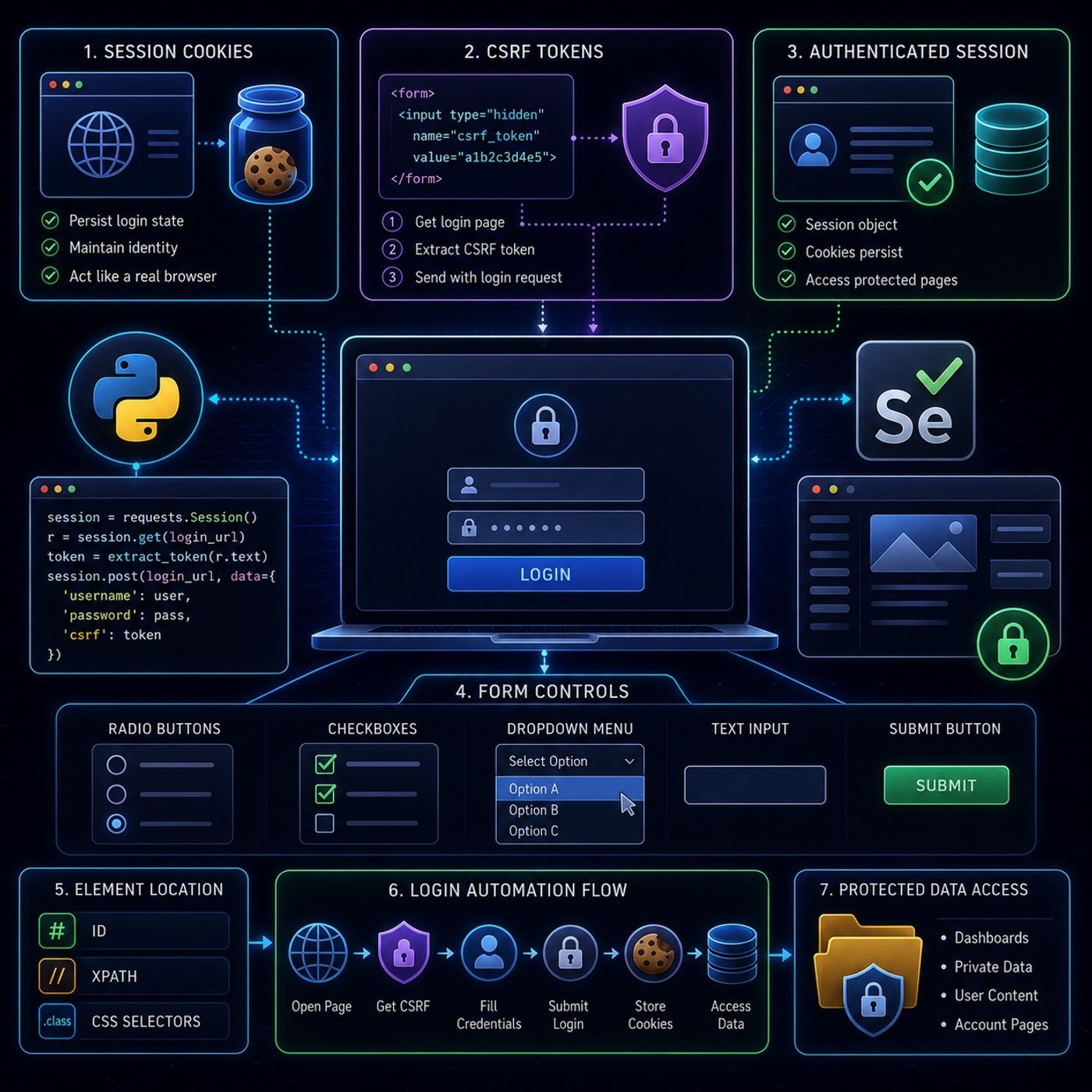
Course 40 - Web Scraping with Python | Episode 42: Web Authentication and Automated Form Input Submission
Published 2 months, 1 week ago
Description
This episode is essentially about turning “login-protected websites” into programmable sessions and then controlling full form workflows like a real user.🔐 Core IdeaModern scraping stops being “download HTML” and becomes:“Authenticate → maintain session → interact → extract”This is the foundation of scraping anything behind a login wall.🍪 1. Session Cookies (Staying Logged In)🧠 What they are:
- Small identifiers stored after login
- Tell the server: “this is the same user”
- every request looks like a new visitor
- login state is lost immediately
- cookies persist automatically
- all requests share authentication state
- mimics a real browser session
- random hidden string in login forms
- prevents fake automated submissions
- hidden fields
- form HTML source
- Request login page
- Extract CSRF token from HTML
- Include it in POST request
- only one option selectable
- used for choices like gender, type, category
- locate element
- .click()
- multiple selections allowed
- toggles true/false state
- click to toggle state
- optionally check if already selected
- select by visible text
- select by value attribute
- select by index
- Open login page (Selenium or requests)
- Extract CSRF token (if exists)
- Fill credentials
- Submit form
- Maintain session (cookies)
- Access protected pages
- Extract data
- ID (best case)
- XPath (fallback, most powerful)
- CSS selectors
- request page
- parse HTML
- simulate login flows
- maintain identity
- interact with UI controls
- handle cookies
- extract CSRF tokens
- automate UI forms
- dashboards
- private data portals
- account-based systems
Listen Now
Love PodBriefly?
If you like Podbriefly.com, please consider donating to support the ongoing development.
Support Us