Episode Details
Back to Episodes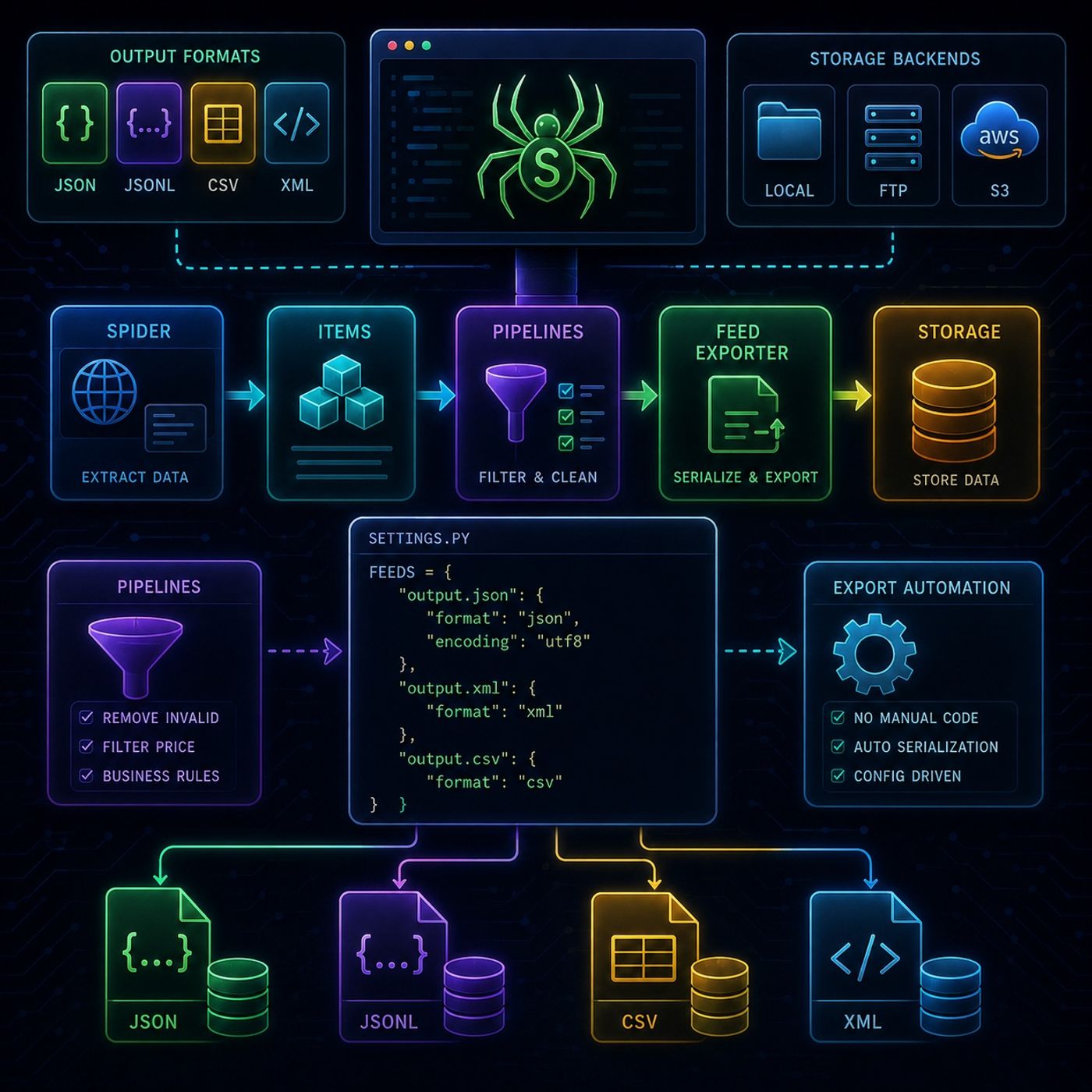
Course 40 - Web Scraping with Python | Episode 32: Native Data Storage and Implementation
Published 2 months, 2 weeks ago
Description
This episode is about removing custom storage code from your Scrapy project and replacing it with Scrapy’s built-in Feed Export system, which turns scraping into a fully configurable data export pipeline.📤 Scrapy Feed Exporters (Automated Data Storage)🧠 Core IdeaInstead of manually writing data to files or databases, Scrapy can automatically export scraped items using:Feed Exporters = built-in serialization + storage systemThey handle:
You can listen and download our episodes for free on more than 10 different platforms:
https://linktr.ee/cybercode_academy
- formatting
- writing
- destination management
- JSON → full structured export
- JSON Lines (JSONL) → streaming-friendly format
- CSV → spreadsheet-ready format
- XML → hierarchical structured output
- JSON → APIs & apps
- CSV → Excel / analytics
- XML → structured integrations
- JSONL → big data pipelines
- 💻 Local filesystem
- 📡 FTP servers
- ☁️ Amazon S3 (cloud storage)
- remove unwanted items
- enforce business rules
- clean or block data
- drop books above a certain price
- filter invalid entries
- take final cleaned items
- serialize them
- write them to destination
- output format
- output destination (URI)
- export behavior
- JSON output
- XML output
- structured datasets
- what to extract (spider)
- what to keep (pipelines)
- where to store it (feed exporters)
You can listen and download our episodes for free on more than 10 different platforms:
https://linktr.ee/cybercode_academy