Episode Details
Back to Episodes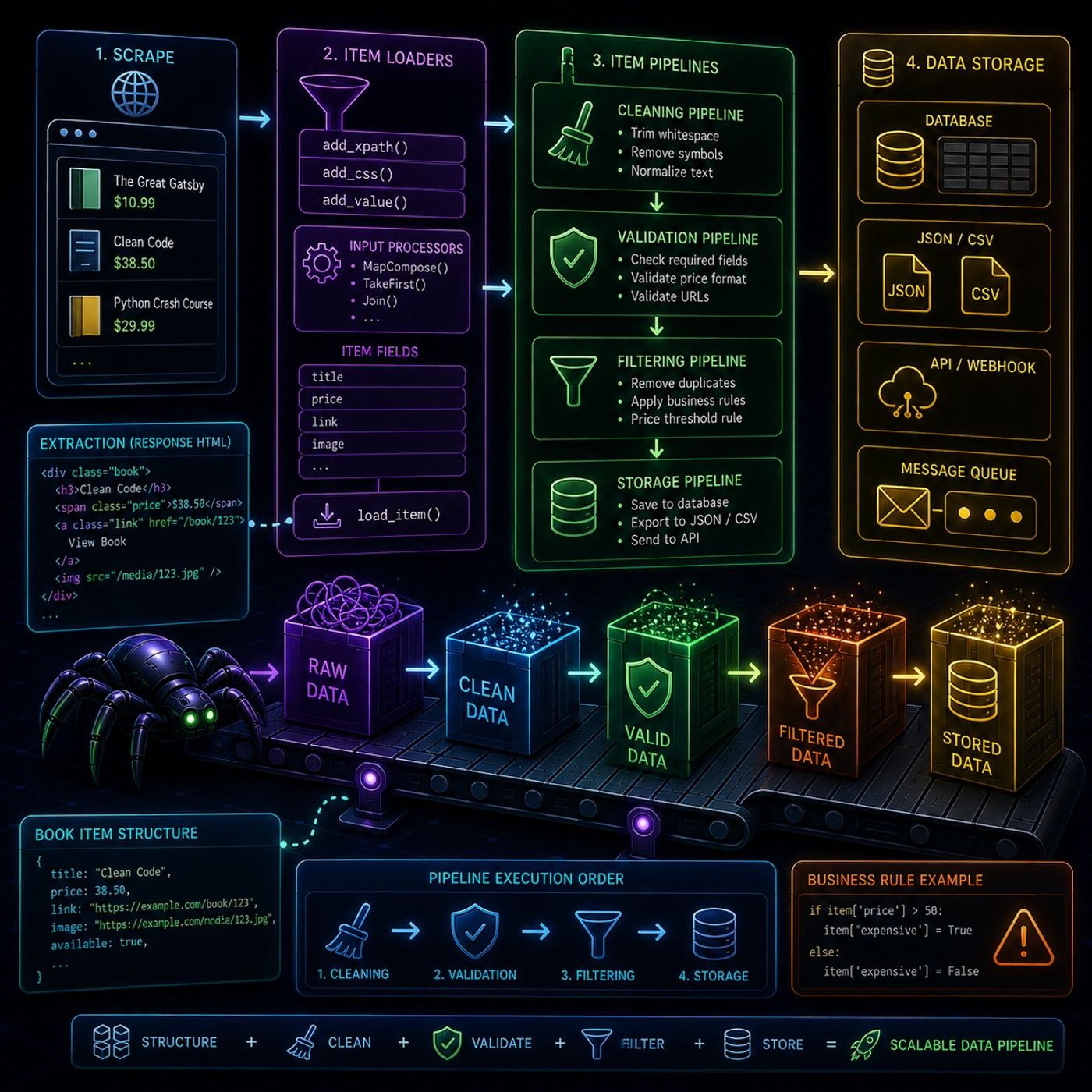
Course 40 - Web Scraping with Python | Episode 31: From Item Loaders to Pipelines
Published 2 months, 2 weeks ago
Description
This episode is essentially about turning Scrapy from “just a scraper” into a full data processing system, where extraction, cleaning, validation, and storage are all structured and automated.🕷️ Scrapy Data Population & Processing Pipeline1. 📦 Item Loaders (Structured Data Population)Item Loaders are the layer between raw scraped HTML and structured Scrapy Items.Instead of manually assigning fields, you feed data through controlled methods:🔹 Core methods
You can listen and download our episodes for free on more than 10 different platforms:
https://linktr.ee/cybercode_academy
- add_xpath()
- add_css()
- add_value()
- collect raw extracted values
- pass them through processors automatically
- build a clean final item via load_item()
- messy manual parsing
- scattered cleaning logic
- modify data
- validate data
- reject invalid items
- store data
- remove unwanted characters
- normalize formats
- fix inconsistent values
- check price formats
- validate emails or URLs
- ensure required fields exist
- drop invalid or unwanted items
- block duplicates
- filter based on business rules
- save to database
- export to JSON / CSV
- push into APIs
- image URLs → full valid URLs
- book links → normalized links
- text cleanup (whitespace, symbols)
- mark expensive books
- exclude them entirely
- or route them differently
- structuring it (Item Loaders)
- refining it (Processors)
- validating it (Pipelines)
- and storing it (Final output layer)
You can listen and download our episodes for free on more than 10 different platforms:
https://linktr.ee/cybercode_academy