Episode Details
Back to Episodes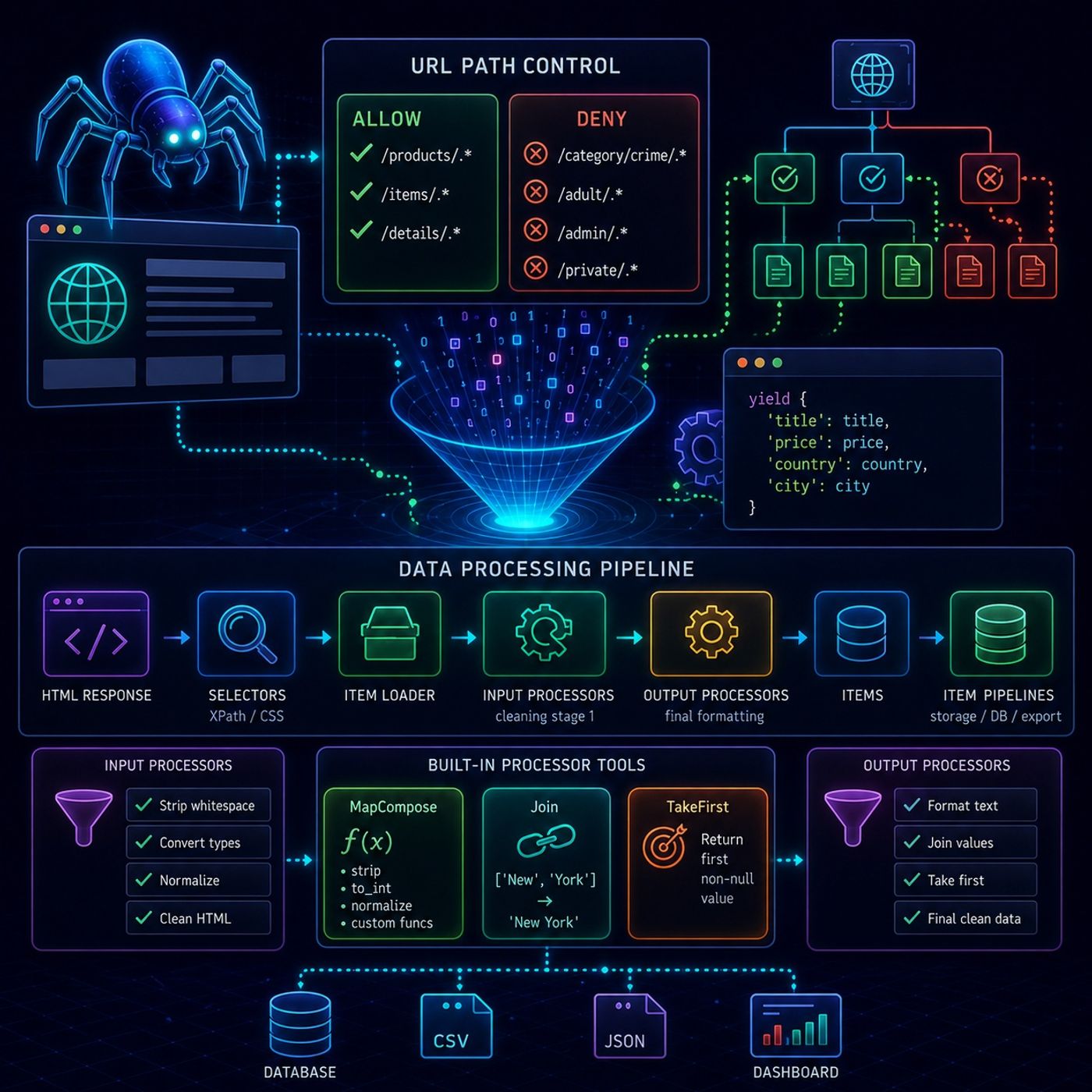
Course 40 - Web Scraping with Python | Episode 30: Controlling URL Paths and Processing Scraped Data
Published 2 months, 3 weeks ago
Description
This episode is really about controlling Scrapy’s crawl scope and shaping data as it moves through the pipeline, so you’re not just collecting data—you’re actively engineering what gets collected and how it looks.🕷️ Scrapy Crawl Control & Data Processing Pipeline1. 🎯 URL Path Control (Allow / Deny Rules)In Scrapy, crawl behavior is tightly controlled using rule-based filtering, often inside spiders like CrawlSpider.🔹 Allow rules
You control how messy web data becomes structured business intelligence.📌 Mental ModelComponentPurposeAllow / Deny rulesControl crawl scopeInput ProcessorsClean raw extractionOutput ProcessorsFinal formattingMapComposeTransform listsJoinMerge textTakeFirstReduce noise
You can listen and download our episodes for free on more than 10 different platforms:
https://linktr.ee/cybercode_academy
- Define what URLs the spider is allowed to follow
- Typically based on regex patterns
- Used to target specific sections of a site (e.g., product pages)
- Explicitly block unwanted paths
- Useful for excluding:
- irrelevant categories
- admin pages
- unwanted content types
- Allow: /products/.*
- Deny: /category/crime/.*, /adult/.*
- Run immediately after extraction
- Clean or normalize raw scraped values
- Example: stripping whitespace, converting formats
- Run after all values are collected
- Produce final cleaned field value
- strip spaces
- convert strings to integers
- normalize URLs
- HTML splits text into multiple nodes
- You want a single clean field
- the first non-null value from a list
- Scrapy often returns multiple matches
- You usually only want one final value
You control how messy web data becomes structured business intelligence.📌 Mental ModelComponentPurposeAllow / Deny rulesControl crawl scopeInput ProcessorsClean raw extractionOutput ProcessorsFinal formattingMapComposeTransform listsJoinMerge textTakeFirstReduce noise
You can listen and download our episodes for free on more than 10 different platforms:
https://linktr.ee/cybercode_academy