Episode Details
Back to Episodes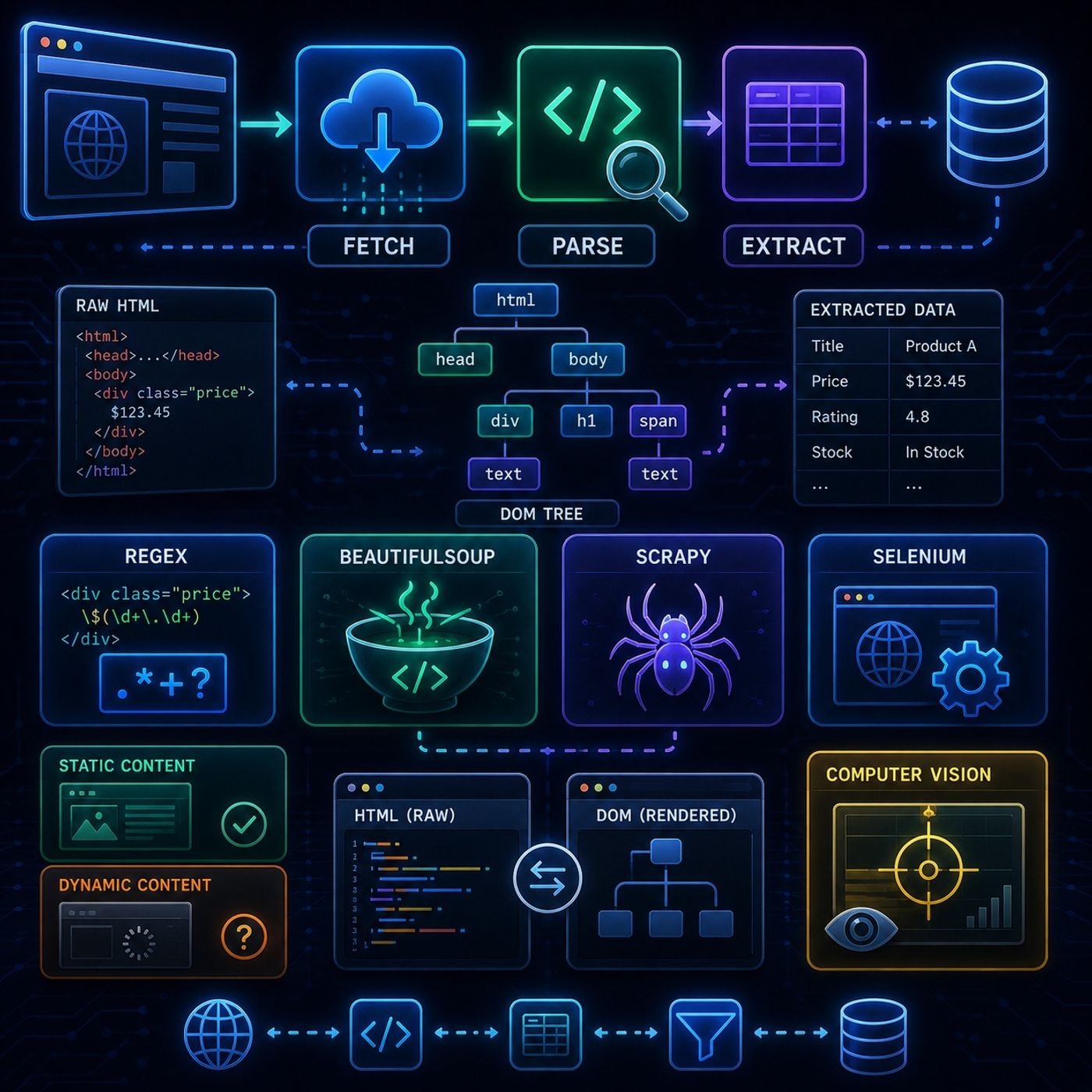
Course 40 - Web Scraping with Python | Episode 16: Mastering Data Extraction with Beautiful Soup
Published 3 months ago
Description
In this lesson, you’ll learn about: how web scraping works end-to-end, why fetching and parsing are the two core stages, and how different tools like Regex, BeautifulSoup, and Scrapy compare in real-world data extraction1. What is Web Scraping?🔹 Core IdeaWeb scraping = automated data extraction from websitesInstead of manually copying data, a program:
HTML is not flat text—it’s structured data4. BeautifulSoup (Structure-Aware Parsing)🔹 Why It Works BetterBeautifulSoup:
If data appears after page load → you need a browser engine7. Advanced Tools Overview🔹 Scrapy (Industrial Tool)
You can listen and download our episodes for free on more than 10 different platforms:
https://linktr.ee/cybercode_academy
- Visits a page
- Reads the HTML
- Extracts structured information
- Send HTTP request (GET)
- Receive HTML response
- Store raw page content
- Requests
- urllib
- httplib2
- Analyze HTML structure
- Extract required data
- Clean results
- Works on text patterns
- Fast but fragile
- Breaks easily on messy HTML
HTML is not flat text—it’s structured data4. BeautifulSoup (Structure-Aware Parsing)🔹 Why It Works BetterBeautifulSoup:
- Understands HTML tree structure
- Fixes broken markup
- Lets you navigate elements easily
- HTML = static snapshot
- DOM = live, updated by JavaScript
- Easy to scrape
- No JavaScript required
- BeautifulSoup works well
- Content generated by JavaScript
- Requires browser rendering
- Selenium
- Scrapy
- Headless browsers
If data appears after page load → you need a browser engine7. Advanced Tools Overview🔹 Scrapy (Industrial Tool)
- Built for scale
- Handles crawling + pipelines
- Used for production systems
- Controls real browser
- Handles JavaScript
- Slower but powerful
- Reads screen pixels
- Works without HTML
- Used when UI has no accessible structure
- 📥 Fetch → download the page
- 🧠 Parse → understand structure
- 🎯 Extract → get useful data
You can listen and download our episodes for free on more than 10 different platforms:
https://linktr.ee/cybercode_academy