Episode Details
Back to Episodes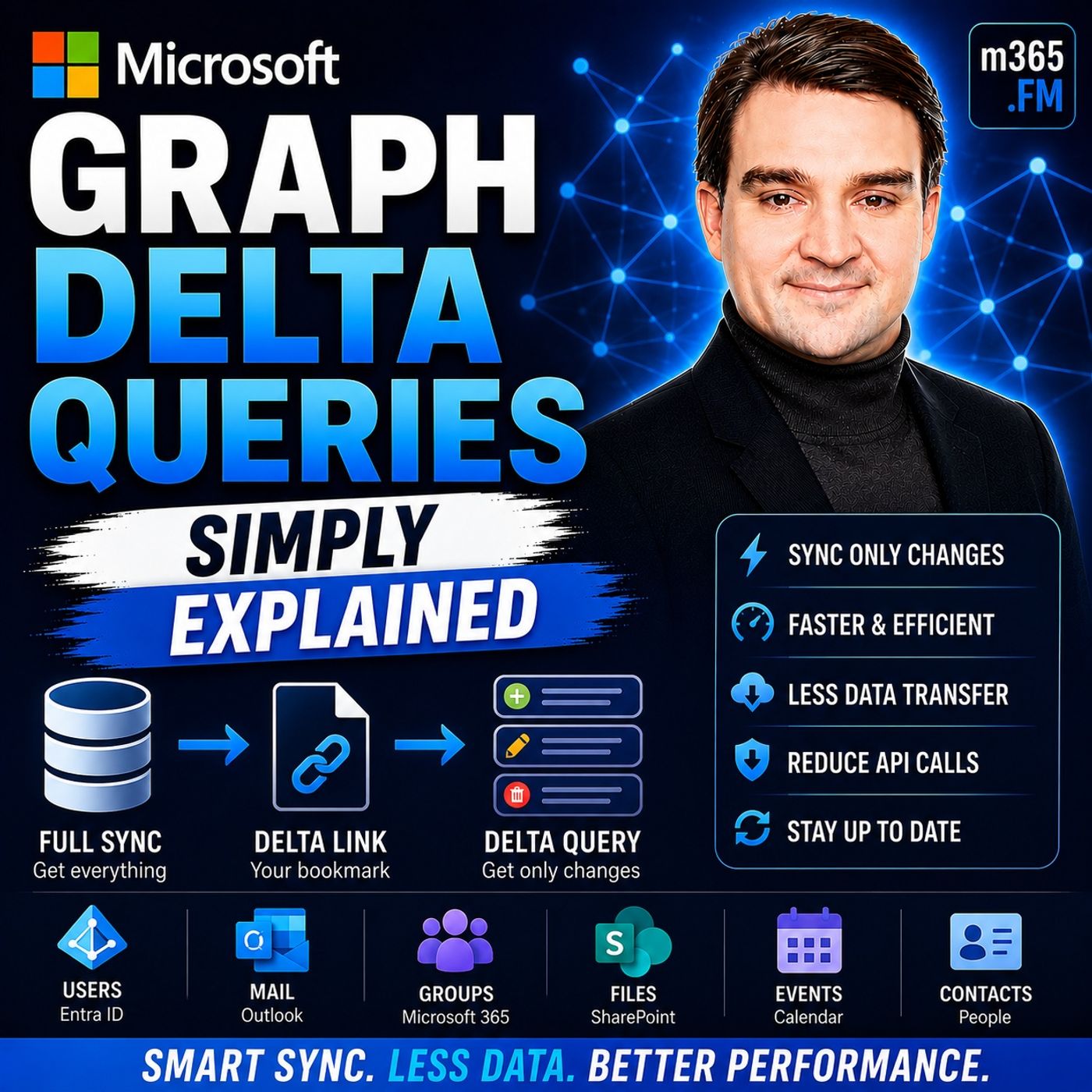
Microsoft Graph Delta Queries - Simply Explained
Season 3
Published 2 weeks, 2 days ago
Description
Welcome to another episode of Knowledge Nuggets with Mirko Peters. Today we're exploring Microsoft Graph Delta Queries, one of the most powerful features for building efficient synchronization solutions with Microsoft 365. Imagine you're building an application that synchronizes Outlook emails, Microsoft Entra ID users, SharePoint documents, or Teams data. Every few minutes your application checks Microsoft Graph for updates. The traditional approach downloads everything again—even if only one item changed. That means unnecessary network traffic, slower performance, increased API consumption, and eventually the risk of Microsoft Graph throttling your application. Microsoft Graph Delta Queries solve this challenge by introducing intelligent change tracking. Instead of downloading complete datasets every time, your application asks Microsoft Graph a much simpler question: "What changed since the last time I checked?" Microsoft Graph remembers where your previous synchronization ended and returns only new, modified, or deleted items. In this episode, we'll explore how Delta Queries work, how delta tokens and pagination operate behind the scenes, their limitations, and why combining Delta Queries with Change Notifications creates one of the most reliable synchronization patterns available for Microsoft 365 applications.
WHY TRADITIONAL SYNCHRONIZATION IS INEFFICIENT
Before understanding Delta Queries, it's important to understand the problem they were designed to solve. Traditional synchronization relies on full synchronization. Every synchronization cycle downloads every object again regardless of whether anything has actually changed. Imagine opening your calendar application every few minutes and downloading every meeting you've ever created simply because one meeting might have changed. The larger the dataset becomes, the more wasteful this approach becomes. The same problem affects applications synchronizing Microsoft Entra ID users, Outlook mailboxes, SharePoint libraries, Microsoft Teams conversations, or contacts. Thousands of objects are transferred repeatedly, even though perhaps only one or two records have changed since the previous synchronization. This unnecessary traffic consumes bandwidth, increases synchronization times, drains mobile device batteries, places additional load on Microsoft Graph, and increases the likelihood of API throttling. Microsoft Graph Delta Queries eliminate this inefficiency by returning only the differences between synchronization cycles rather than the complete dataset every time.
WHAT ARE MICROSOFT GRAPH DELTA QUERIES?
Microsoft Graph Delta Queries provide an incremental synchronization mechanism for Microsoft 365 resources. Instead of requesting every object repeatedly, your application asks Microsoft Graph for only the items that have changed since the previous synchronization. A useful analogy is checking your email inbox. When you open your mailbox in the morning, you don't expect every email you've ever received to download again. Instead, you only want to see the messages that arrived since your last visit. Delta Queries apply exactly the same concept to Microsoft Graph. The first request retrieves the complete dataset, creating an initial synchronization baseline. Alongside that data, Microsoft Graph returns a special URL known as the deltaLink. That link becomes your bookmark. Every future synchronization uses the saved deltaLink instead of repeating the original request. Microsoft Graph compares the stored synchronization point with its current data and returns only newly created, modified, or deleted objects. The result is dramatically faster synchronization while transferring only the information that actually matters.
HOW THE DELTA TOKEN SYSTEM WORKS
The real intelligence behind Delta Queries lies in the delta token. After the first synchronization, Microsoft Graph generates a deltaLink containing a unique t
WHY TRADITIONAL SYNCHRONIZATION IS INEFFICIENT
Before understanding Delta Queries, it's important to understand the problem they were designed to solve. Traditional synchronization relies on full synchronization. Every synchronization cycle downloads every object again regardless of whether anything has actually changed. Imagine opening your calendar application every few minutes and downloading every meeting you've ever created simply because one meeting might have changed. The larger the dataset becomes, the more wasteful this approach becomes. The same problem affects applications synchronizing Microsoft Entra ID users, Outlook mailboxes, SharePoint libraries, Microsoft Teams conversations, or contacts. Thousands of objects are transferred repeatedly, even though perhaps only one or two records have changed since the previous synchronization. This unnecessary traffic consumes bandwidth, increases synchronization times, drains mobile device batteries, places additional load on Microsoft Graph, and increases the likelihood of API throttling. Microsoft Graph Delta Queries eliminate this inefficiency by returning only the differences between synchronization cycles rather than the complete dataset every time.
WHAT ARE MICROSOFT GRAPH DELTA QUERIES?
Microsoft Graph Delta Queries provide an incremental synchronization mechanism for Microsoft 365 resources. Instead of requesting every object repeatedly, your application asks Microsoft Graph for only the items that have changed since the previous synchronization. A useful analogy is checking your email inbox. When you open your mailbox in the morning, you don't expect every email you've ever received to download again. Instead, you only want to see the messages that arrived since your last visit. Delta Queries apply exactly the same concept to Microsoft Graph. The first request retrieves the complete dataset, creating an initial synchronization baseline. Alongside that data, Microsoft Graph returns a special URL known as the deltaLink. That link becomes your bookmark. Every future synchronization uses the saved deltaLink instead of repeating the original request. Microsoft Graph compares the stored synchronization point with its current data and returns only newly created, modified, or deleted objects. The result is dramatically faster synchronization while transferring only the information that actually matters.
HOW THE DELTA TOKEN SYSTEM WORKS
The real intelligence behind Delta Queries lies in the delta token. After the first synchronization, Microsoft Graph generates a deltaLink containing a unique t