Episode Details
Back to Episodes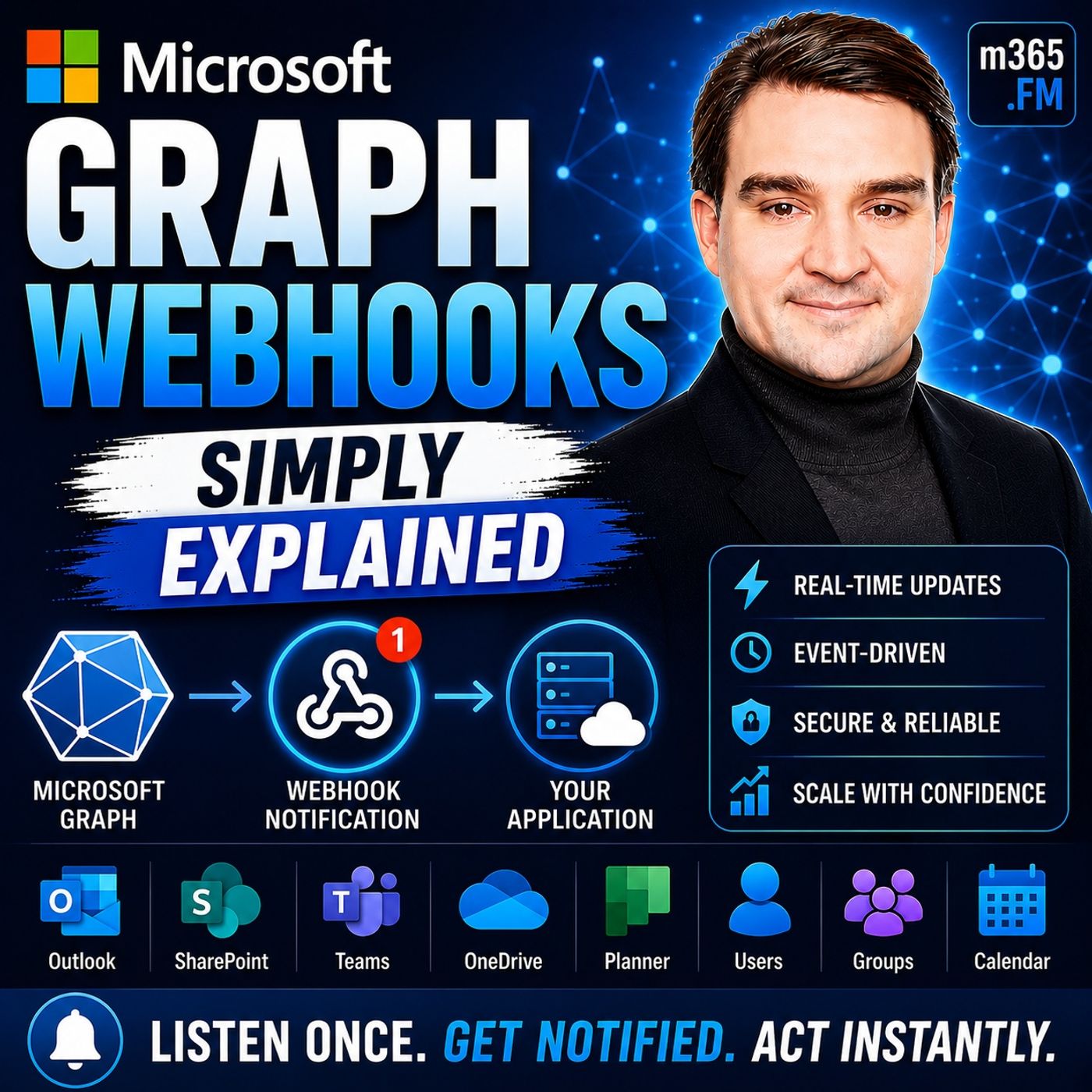
Microsoft Graph Webhooks - Simply Explained
Season 3
Published 2 weeks, 2 days ago
Description
Welcome to another episode of Knowledge Nuggets with Mirko Peters. Today we're exploring Microsoft Graph Webhooks, one of the core building blocks for creating modern, event-driven Microsoft 365 applications. Almost every developer building with Microsoft 365 eventually faces the same challenge. How do you know when something changes? Whether you're waiting for a new user to be created in Microsoft Entra ID, a document to be uploaded to SharePoint, or an email to arrive in Outlook, the traditional solution has always been polling—repeatedly asking Microsoft Graph if anything has changed. The problem is that most of those requests return nothing, wasting API calls, increasing latency, and eventually leading to Microsoft Graph throttling. Microsoft Graph Webhooks solve this by completely changing the communication model. Instead of your application constantly asking Microsoft Graph for updates, Microsoft Graph automatically sends your application an HTTP request whenever something important happens. In this episode, we'll explore how Graph Webhooks work, why they're more efficient than polling, how subscriptions and validation fit together, and why combining webhooks with Delta Query creates one of the most reliable integration patterns available for Microsoft 365.
WHY POLLING DOESN'T SCALE
Before understanding webhooks, it's important to understand the limitations of polling. Imagine checking your mailbox every five minutes throughout the day. Most of the time, there's nothing inside. Yet you continue making the same trip over and over again. Traditional applications behave exactly the same way. They repeatedly send requests asking Microsoft Graph whether anything has changed. Most requests receive exactly the same response: nothing has happened. Although each request seems harmless, thousands of applications polling Microsoft Graph every few minutes quickly generate enormous amounts of unnecessary traffic. This creates several problems. Applications consume API quotas without receiving useful information, users experience delays because changes aren't detected until the next polling cycle, and Microsoft Graph eventually begins throttling applications that generate excessive traffic. Developers often refer to this as ending up in "Graph jail." Ironically, even aggressive polling still doesn't provide true real-time updates. If a user account is created one minute after the last request, the application may not discover the change for another four minutes. Microsoft Graph Webhooks eliminate this inefficiency entirely by notifying applications only when something actually changes.
WHAT ARE MICROSOFT GRAPH WEBHOOKS?
A webhook is simply an HTTP POST request sent automatically when an event occurs. Instead of asking Microsoft Graph for updates, your application waits for Microsoft Graph to contact it. A useful analogy is a doorbell. Without a doorbell, you repeatedly open your front door to check whether someone has arrived. With a doorbell, you simply wait until someone rings. Microsoft Graph Webhooks work exactly the same way. Your application provides Microsoft Graph with a secure HTTPS endpoint. Microsoft Graph continuously monitors the resources you've subscribed to. Whenever a relevant event occurs, Microsoft Graph immediately sends an HTTP POST request containing information about that event. Microsoft refers to these webhook events as Change Notifications, but the underlying concept remains the same. Whether monitoring Outlook mailboxes, SharePoint document libraries, Microsoft Teams messages, calendars, users, groups, or Microsoft Entra ID objects, Graph Webhooks allow applications to respond almost instantly without unnecessary polling.
HOW GRAPH WEBHOOKS WORK
The complete webhook process consists of three simple building blocks. Everything starts with a subscription. Your application tells Microsoft Graph exactly which resource it wants to monitor and w
WHY POLLING DOESN'T SCALE
Before understanding webhooks, it's important to understand the limitations of polling. Imagine checking your mailbox every five minutes throughout the day. Most of the time, there's nothing inside. Yet you continue making the same trip over and over again. Traditional applications behave exactly the same way. They repeatedly send requests asking Microsoft Graph whether anything has changed. Most requests receive exactly the same response: nothing has happened. Although each request seems harmless, thousands of applications polling Microsoft Graph every few minutes quickly generate enormous amounts of unnecessary traffic. This creates several problems. Applications consume API quotas without receiving useful information, users experience delays because changes aren't detected until the next polling cycle, and Microsoft Graph eventually begins throttling applications that generate excessive traffic. Developers often refer to this as ending up in "Graph jail." Ironically, even aggressive polling still doesn't provide true real-time updates. If a user account is created one minute after the last request, the application may not discover the change for another four minutes. Microsoft Graph Webhooks eliminate this inefficiency entirely by notifying applications only when something actually changes.
WHAT ARE MICROSOFT GRAPH WEBHOOKS?
A webhook is simply an HTTP POST request sent automatically when an event occurs. Instead of asking Microsoft Graph for updates, your application waits for Microsoft Graph to contact it. A useful analogy is a doorbell. Without a doorbell, you repeatedly open your front door to check whether someone has arrived. With a doorbell, you simply wait until someone rings. Microsoft Graph Webhooks work exactly the same way. Your application provides Microsoft Graph with a secure HTTPS endpoint. Microsoft Graph continuously monitors the resources you've subscribed to. Whenever a relevant event occurs, Microsoft Graph immediately sends an HTTP POST request containing information about that event. Microsoft refers to these webhook events as Change Notifications, but the underlying concept remains the same. Whether monitoring Outlook mailboxes, SharePoint document libraries, Microsoft Teams messages, calendars, users, groups, or Microsoft Entra ID objects, Graph Webhooks allow applications to respond almost instantly without unnecessary polling.
HOW GRAPH WEBHOOKS WORK
The complete webhook process consists of three simple building blocks. Everything starts with a subscription. Your application tells Microsoft Graph exactly which resource it wants to monitor and w