Episode Details
Back to Episodes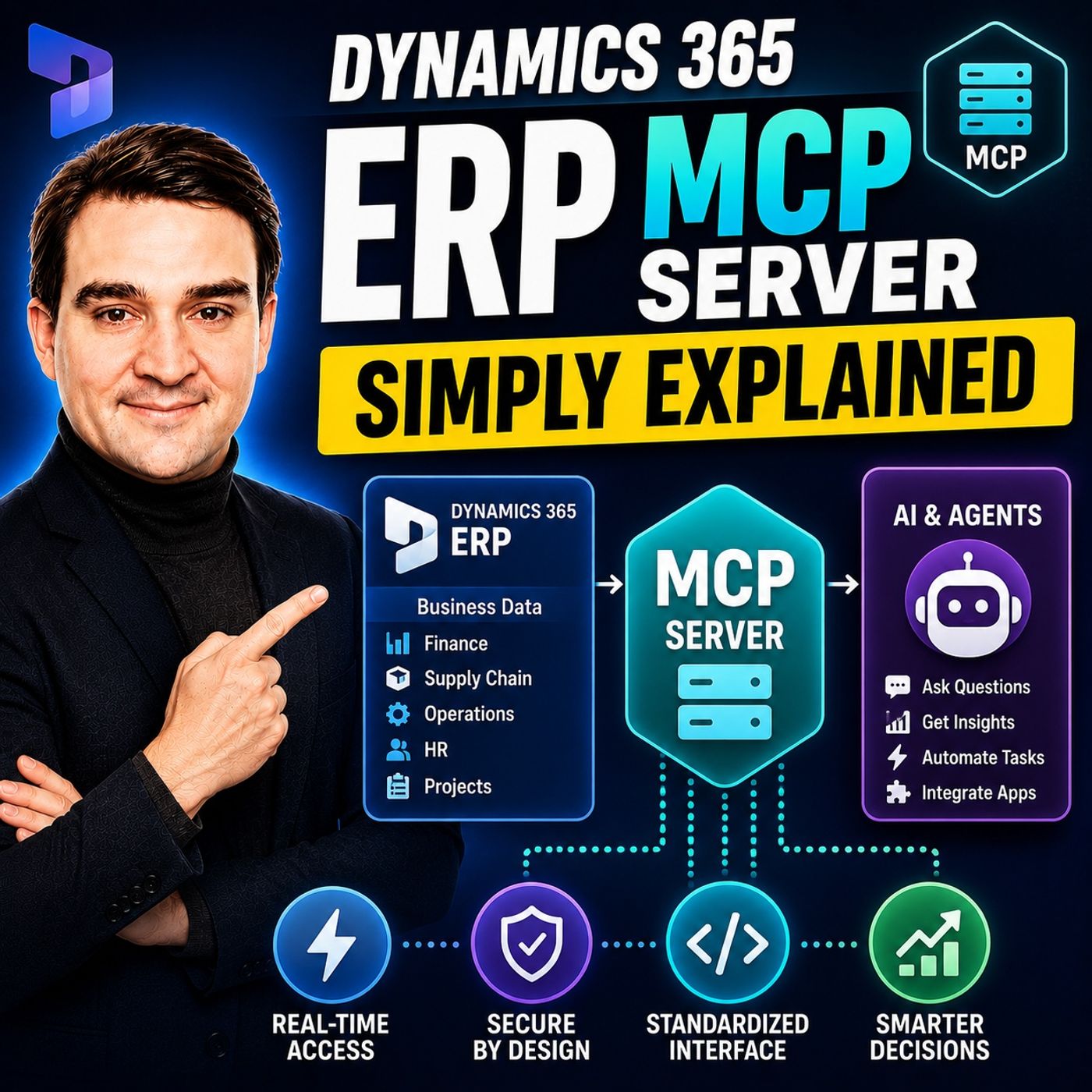
Dynamics 365 ERP MCP Server - Simply Explained
Season 3
Published 3 weeks, 4 days ago
Description
Artificial Intelligence is transforming how businesses interact with enterprise systems, but connecting AI assistants to ERP platforms has traditionally required custom APIs, complex integrations, and significant development effort. The Dynamics 365 ERP MCP Server changes that completely. In this episode, we explain Microsoft's Model Context Protocol (MCP) Server in plain English, showing how it enables AI agents to securely discover, understand, and interact with Dynamics 365 Finance and Operations without custom code. Whether you're an ERP consultant, Dynamics 365 administrator, developer, or AI enthusiast, this episode explains why MCP represents one of the biggest architectural changes in enterprise business applications.
WHAT IS THE MODEL CONTEXT PROTOCOL?
The Model Context Protocol (MCP) is an open standard that allows AI applications to discover available tools, understand business operations, and execute actions through a standardized interface. Instead of building separate integrations for every ERP function, AI agents communicate with Dynamics 365 using one consistent protocol. MCP doesn't simply expose raw data—it provides structured descriptions of available business functions, allowing AI to determine which operations exist, how they work, and when to use them safely. This dramatically simplifies AI integration across enterprise applications.
THE DYNAMICS 365 ERP MCP SERVER
Microsoft's Dynamics 365 ERP MCP Server exposes Finance and Operations capabilities directly to AI agents. Earlier implementations offered a small collection of predefined business functions, but the new dynamic MCP Server dramatically expands these capabilities. AI agents can now navigate ERP forms, populate fields, execute business actions, and follow the same validation rules as human users. Even customizations and ISV extensions become available automatically, allowing organizations to expose existing business processes without additional development work.
THE ANALYTICS MCP SERVER
Beyond operational actions, Microsoft also introduced an Analytics MCP Server that connects AI agents to Business Performance Analytics (BPA). Instead of manually building dashboards and reports, AI can inspect available datasets, understand business schemas, generate DAX queries automatically, and answer complex business questions using natural language. By combining analytics with operational capabilities, organizations can move beyond reporting into intelligent decision-making where AI not only identifies issues but also initiates corrective business processes.
REAL-WORLD BUSINESS SCENARIOS
The practical applications of MCP are already becoming impressive. AI agents can automatically identify vendors with overdue invoices, place suppliers on hold, generate prepayment invoices, configure ERP environments, and coordinate multiple business tasks across different departments. Rather than requiring users to navigate complex ERP menus, employees simply describe what they want in natural language while AI performs the necessary business operations through Dynamics 365. These demonstrations show that MCP is no longer a future concept—it is already transforming enterprise automation.
GETTING STARTED WITH MCP
Organizations interested in Dynamics 365 ERP MCP require a supported Dynamics 365 Finance and Operations environment together with an MCP-compatible client such as Microsoft Copilot Studio or Visual Studio Code. Setup is intentionally straightforward, allowing administrators to connect AI agents without extensive programming. Existing Dynamics 365 role-based security remains fully enforced, meaning AI agents automatically inherit the permissions of the authenticated user, reducing governance complexity while maintaining enterprise security standards.
SECURITY AND GOVERNANCE
Security remains one of MCP's greatest strengths. R
WHAT IS THE MODEL CONTEXT PROTOCOL?
The Model Context Protocol (MCP) is an open standard that allows AI applications to discover available tools, understand business operations, and execute actions through a standardized interface. Instead of building separate integrations for every ERP function, AI agents communicate with Dynamics 365 using one consistent protocol. MCP doesn't simply expose raw data—it provides structured descriptions of available business functions, allowing AI to determine which operations exist, how they work, and when to use them safely. This dramatically simplifies AI integration across enterprise applications.
THE DYNAMICS 365 ERP MCP SERVER
Microsoft's Dynamics 365 ERP MCP Server exposes Finance and Operations capabilities directly to AI agents. Earlier implementations offered a small collection of predefined business functions, but the new dynamic MCP Server dramatically expands these capabilities. AI agents can now navigate ERP forms, populate fields, execute business actions, and follow the same validation rules as human users. Even customizations and ISV extensions become available automatically, allowing organizations to expose existing business processes without additional development work.
THE ANALYTICS MCP SERVER
Beyond operational actions, Microsoft also introduced an Analytics MCP Server that connects AI agents to Business Performance Analytics (BPA). Instead of manually building dashboards and reports, AI can inspect available datasets, understand business schemas, generate DAX queries automatically, and answer complex business questions using natural language. By combining analytics with operational capabilities, organizations can move beyond reporting into intelligent decision-making where AI not only identifies issues but also initiates corrective business processes.
REAL-WORLD BUSINESS SCENARIOS
The practical applications of MCP are already becoming impressive. AI agents can automatically identify vendors with overdue invoices, place suppliers on hold, generate prepayment invoices, configure ERP environments, and coordinate multiple business tasks across different departments. Rather than requiring users to navigate complex ERP menus, employees simply describe what they want in natural language while AI performs the necessary business operations through Dynamics 365. These demonstrations show that MCP is no longer a future concept—it is already transforming enterprise automation.
GETTING STARTED WITH MCP
Organizations interested in Dynamics 365 ERP MCP require a supported Dynamics 365 Finance and Operations environment together with an MCP-compatible client such as Microsoft Copilot Studio or Visual Studio Code. Setup is intentionally straightforward, allowing administrators to connect AI agents without extensive programming. Existing Dynamics 365 role-based security remains fully enforced, meaning AI agents automatically inherit the permissions of the authenticated user, reducing governance complexity while maintaining enterprise security standards.
SECURITY AND GOVERNANCE
Security remains one of MCP's greatest strengths. R