Episode Details
Back to Episodes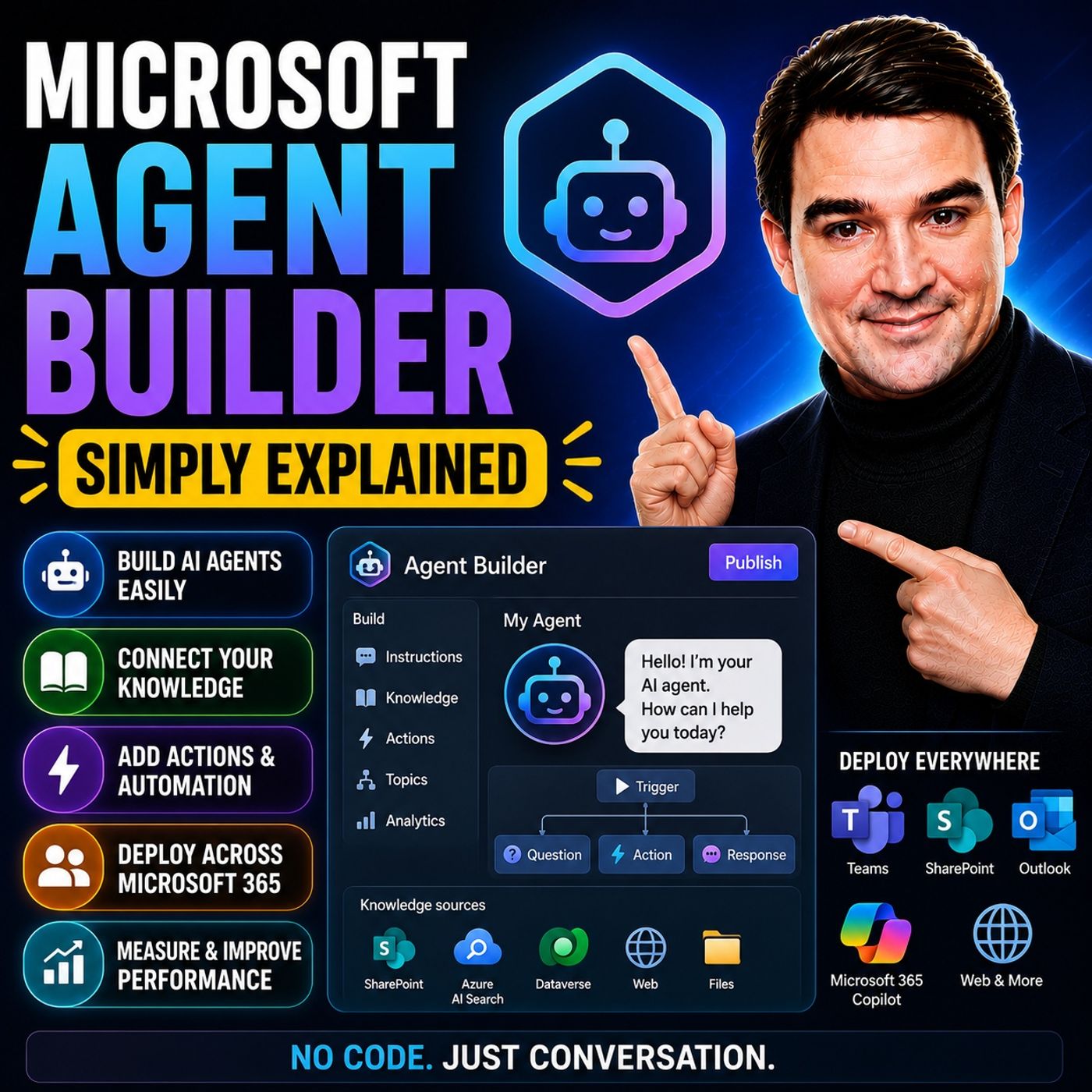
Microsoft Agent Builder — Simply Explained
Season 3
Published 3 weeks, 6 days ago
Description
Building AI agents used to require developers, code, and complex AI platforms. Microsoft Agent Builder changes that completely. Built directly into Microsoft 365 Copilot, Agent Builder allows anyone to create an AI assistant simply by describing what they want in plain English. Instead of writing code, you describe the purpose of the agent, connect your company knowledge, and let Copilot generate everything else. In just a few minutes, you can build an internal AI assistant that helps answer questions, find information, and support everyday business processes.
NO-CODE AI AGENTS
Agent Builder lives directly inside the Microsoft 365 Copilot interface. Creating an agent starts with two simple tabs: Describe and Configure. In the Describe tab, you explain what the agent should do, such as helping employees onboard new hires or answering HR questions. Copilot automatically generates the agent's name, description, instructions, and suggested prompts. The Configure tab allows you to refine everything manually, including the agent's behavior, appearance, instructions, and connected knowledge sources.
KNOWLEDGE MAKES THE AGENT SMART
An agent is only as good as the information it can access. Agent Builder allows you to connect SharePoint sites, OneDrive documents, uploaded files, public websites, Teams conversations, and Outlook emails. These become the knowledge base the agent uses when answering questions. For organizations concerned about accuracy, the "Only use specified sources" option limits responses exclusively to approved content, helping reduce hallucinations while ensuring answers remain grounded in company documentation.
BUILDING YOUR FIRST AGENT
Creating an agent requires only a few simple steps. Start by describing the business problem you want to solve. Copilot generates the initial agent automatically. Next, connect the appropriate knowledge sources, customize the instructions if needed, add suggested prompts, and publish the agent. Within minutes, your AI assistant appears alongside Microsoft 365 Copilot, ready to answer questions based on your organization's knowledge.
START FASTER WITH TEMPLATES
Microsoft provides several ready-made templates to accelerate development. Templates such as Career Coach, Researcher, and Analyst provide prebuilt structures for common business scenarios. Rather than starting with a blank page, users simply customize the template by replacing the knowledge sources and adjusting the instructions to match their organization's requirements. Templates significantly reduce setup time while providing proven conversational structures.
AGENT BUILDER VS. COPILOT STUDIO
Microsoft offers multiple ways to build AI agents, each targeting different audiences. Agent Builder is designed for business users who need internal knowledge assistants without writing code. Copilot Studio adds low-code workflows, external connectors, automation, and multi-step business processes suitable for enterprise solutions. AI Foundry sits at the highest level, giving developers full control over models, orchestration, and advanced AI applications. For most organizations beginning their AI journey, Agent Builder provides the fastest path to delivering business value.
UNDERSTANDING THE LIMITATIONS
Agent Builder is intentionally designed to remain simple. It creates internal Microsoft 365 agents only. It cannot publish chatbots to public websites, connect directly to external systems like Salesforce or ServiceNow, execute complex workflows, or automate business processes. Organizations needing external-facing agents, advanced automation, or enterprise integrations should move to Copilot Studio instead.
SECURITY AND GOVERNANCE
Security is built into Agent Builder from the beginning. Agents automatically inherit existing Microsoft 365 permissions, meaning users
NO-CODE AI AGENTS
Agent Builder lives directly inside the Microsoft 365 Copilot interface. Creating an agent starts with two simple tabs: Describe and Configure. In the Describe tab, you explain what the agent should do, such as helping employees onboard new hires or answering HR questions. Copilot automatically generates the agent's name, description, instructions, and suggested prompts. The Configure tab allows you to refine everything manually, including the agent's behavior, appearance, instructions, and connected knowledge sources.
KNOWLEDGE MAKES THE AGENT SMART
An agent is only as good as the information it can access. Agent Builder allows you to connect SharePoint sites, OneDrive documents, uploaded files, public websites, Teams conversations, and Outlook emails. These become the knowledge base the agent uses when answering questions. For organizations concerned about accuracy, the "Only use specified sources" option limits responses exclusively to approved content, helping reduce hallucinations while ensuring answers remain grounded in company documentation.
BUILDING YOUR FIRST AGENT
Creating an agent requires only a few simple steps. Start by describing the business problem you want to solve. Copilot generates the initial agent automatically. Next, connect the appropriate knowledge sources, customize the instructions if needed, add suggested prompts, and publish the agent. Within minutes, your AI assistant appears alongside Microsoft 365 Copilot, ready to answer questions based on your organization's knowledge.
START FASTER WITH TEMPLATES
Microsoft provides several ready-made templates to accelerate development. Templates such as Career Coach, Researcher, and Analyst provide prebuilt structures for common business scenarios. Rather than starting with a blank page, users simply customize the template by replacing the knowledge sources and adjusting the instructions to match their organization's requirements. Templates significantly reduce setup time while providing proven conversational structures.
AGENT BUILDER VS. COPILOT STUDIO
Microsoft offers multiple ways to build AI agents, each targeting different audiences. Agent Builder is designed for business users who need internal knowledge assistants without writing code. Copilot Studio adds low-code workflows, external connectors, automation, and multi-step business processes suitable for enterprise solutions. AI Foundry sits at the highest level, giving developers full control over models, orchestration, and advanced AI applications. For most organizations beginning their AI journey, Agent Builder provides the fastest path to delivering business value.
UNDERSTANDING THE LIMITATIONS
Agent Builder is intentionally designed to remain simple. It creates internal Microsoft 365 agents only. It cannot publish chatbots to public websites, connect directly to external systems like Salesforce or ServiceNow, execute complex workflows, or automate business processes. Organizations needing external-facing agents, advanced automation, or enterprise integrations should move to Copilot Studio instead.
SECURITY AND GOVERNANCE
Security is built into Agent Builder from the beginning. Agents automatically inherit existing Microsoft 365 permissions, meaning users