Episode Details
Back to Episodes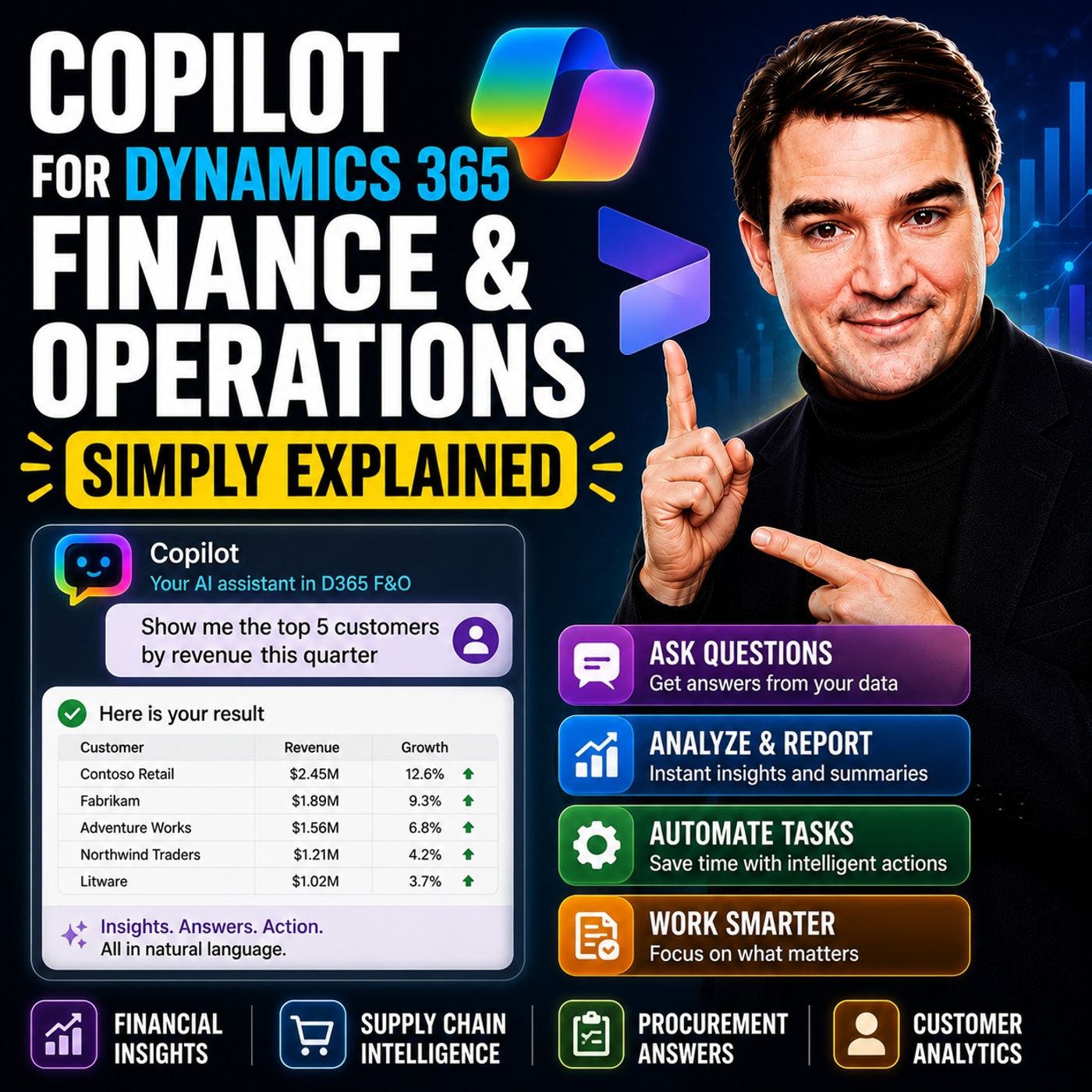
Copilot for Dynamics 365 Finance and Operations - Simply Explained
Season 3
Published 3 weeks, 6 days ago
Description
Finance teams have never struggled with a lack of data—they struggle with the time it takes to find, organize, analyze, and act on that information. Traditional ERP workflows often require switching between customer records, reports, Excel spreadsheets, Outlook, and multiple ERP screens before a single decision can be made. Copilot for Dynamics 365 Finance & Operations changes that experience. Instead of searching for information manually, Copilot brings insights directly into your workflow, helping finance professionals summarize customer accounts, draft emails, analyze financial performance, forecast cash flow, and automate repetitive tasks without leaving the applications they already use.
SOLVING THE DAILY FINANCE WORKFLOW
Most finance professionals spend more time gathering information than analyzing it. Whether it's reviewing overdue invoices, preparing month-end reports, reconciling accounts, or responding to customer payment inquiries, much of the work involves navigating multiple screens and manually assembling information. Copilot reduces this friction by presenting relevant data, recommendations, and AI-generated summaries directly inside Dynamics 365 Finance & Operations, Outlook, Excel, and Microsoft Teams.
COLLECTIONS AND ACCOUNTS RECEIVABLE
One of Copilot's most valuable capabilities is improving collections management. Within the Collections Coordinator workspace, Copilot automatically summarizes overdue invoices, outstanding balances, payment history, disputes, and customer risk. Instead of reviewing multiple screens, collectors receive a complete overview the moment they open a customer record. Copilot can also draft personalized collection emails based on customer history and communication preferences. Through the Copilot for Finance Outlook add-in, finance teams can access customer information, generate responses, and synchronize activities back into Dynamics 365 without leaving their inbox.
MONTH-END CLOSE AND FINANCIAL REPORTING
Financial close remains one of the busiest periods for every finance department. Copilot assists before, during, and after month-end by identifying missing transactions, suggesting journal entries, highlighting reconciliation issues, and automatically explaining financial variances. Instead of manually investigating why operating expenses increased, finance professionals can simply ask Copilot for a variance explanation and receive a natural-language summary highlighting the biggest contributors. Rather than replacing financial expertise, Copilot removes much of the repetitive investigation work, allowing accountants to focus on analysis and decision-making.
CASH FLOW FORECASTING
Cash flow forecasting traditionally depends on spreadsheets, manual assumptions, and historical analysis. Copilot continuously analyzes open transactions, payment behavior, seasonal trends, and historical patterns to generate more dynamic cash flow forecasts. It can identify payment delays, unusual spending patterns, and potential cash flow risks while allowing finance teams to model different business scenarios before making important financial decisions.
EXPENSE MANAGEMENT AND ACCOUNTS PAYABLE
Copilot also streamlines expense processing and accounts payable. Using Optical Character Recognition (OCR), receipts are automatically scanned, key information extracted, and expense reports prepared with minimal manual input. Company policies are checked automatically, helping identify potential compliance issues before submission. For vendor invoices, Copilot assists with invoice processing, general ledger suggestions, purchase order updates, and approval workflows, reducing manual data entry while minimizing errors.
GETTING STARTED
Organizations need several prerequisites before using Copilot. Dynamics 365 Finance & Operations should be running version 10.0.38 or l
SOLVING THE DAILY FINANCE WORKFLOW
Most finance professionals spend more time gathering information than analyzing it. Whether it's reviewing overdue invoices, preparing month-end reports, reconciling accounts, or responding to customer payment inquiries, much of the work involves navigating multiple screens and manually assembling information. Copilot reduces this friction by presenting relevant data, recommendations, and AI-generated summaries directly inside Dynamics 365 Finance & Operations, Outlook, Excel, and Microsoft Teams.
COLLECTIONS AND ACCOUNTS RECEIVABLE
One of Copilot's most valuable capabilities is improving collections management. Within the Collections Coordinator workspace, Copilot automatically summarizes overdue invoices, outstanding balances, payment history, disputes, and customer risk. Instead of reviewing multiple screens, collectors receive a complete overview the moment they open a customer record. Copilot can also draft personalized collection emails based on customer history and communication preferences. Through the Copilot for Finance Outlook add-in, finance teams can access customer information, generate responses, and synchronize activities back into Dynamics 365 without leaving their inbox.
MONTH-END CLOSE AND FINANCIAL REPORTING
Financial close remains one of the busiest periods for every finance department. Copilot assists before, during, and after month-end by identifying missing transactions, suggesting journal entries, highlighting reconciliation issues, and automatically explaining financial variances. Instead of manually investigating why operating expenses increased, finance professionals can simply ask Copilot for a variance explanation and receive a natural-language summary highlighting the biggest contributors. Rather than replacing financial expertise, Copilot removes much of the repetitive investigation work, allowing accountants to focus on analysis and decision-making.
CASH FLOW FORECASTING
Cash flow forecasting traditionally depends on spreadsheets, manual assumptions, and historical analysis. Copilot continuously analyzes open transactions, payment behavior, seasonal trends, and historical patterns to generate more dynamic cash flow forecasts. It can identify payment delays, unusual spending patterns, and potential cash flow risks while allowing finance teams to model different business scenarios before making important financial decisions.
EXPENSE MANAGEMENT AND ACCOUNTS PAYABLE
Copilot also streamlines expense processing and accounts payable. Using Optical Character Recognition (OCR), receipts are automatically scanned, key information extracted, and expense reports prepared with minimal manual input. Company policies are checked automatically, helping identify potential compliance issues before submission. For vendor invoices, Copilot assists with invoice processing, general ledger suggestions, purchase order updates, and approval workflows, reducing manual data entry while minimizing errors.
GETTING STARTED
Organizations need several prerequisites before using Copilot. Dynamics 365 Finance & Operations should be running version 10.0.38 or l