Episode Details
Back to Episodes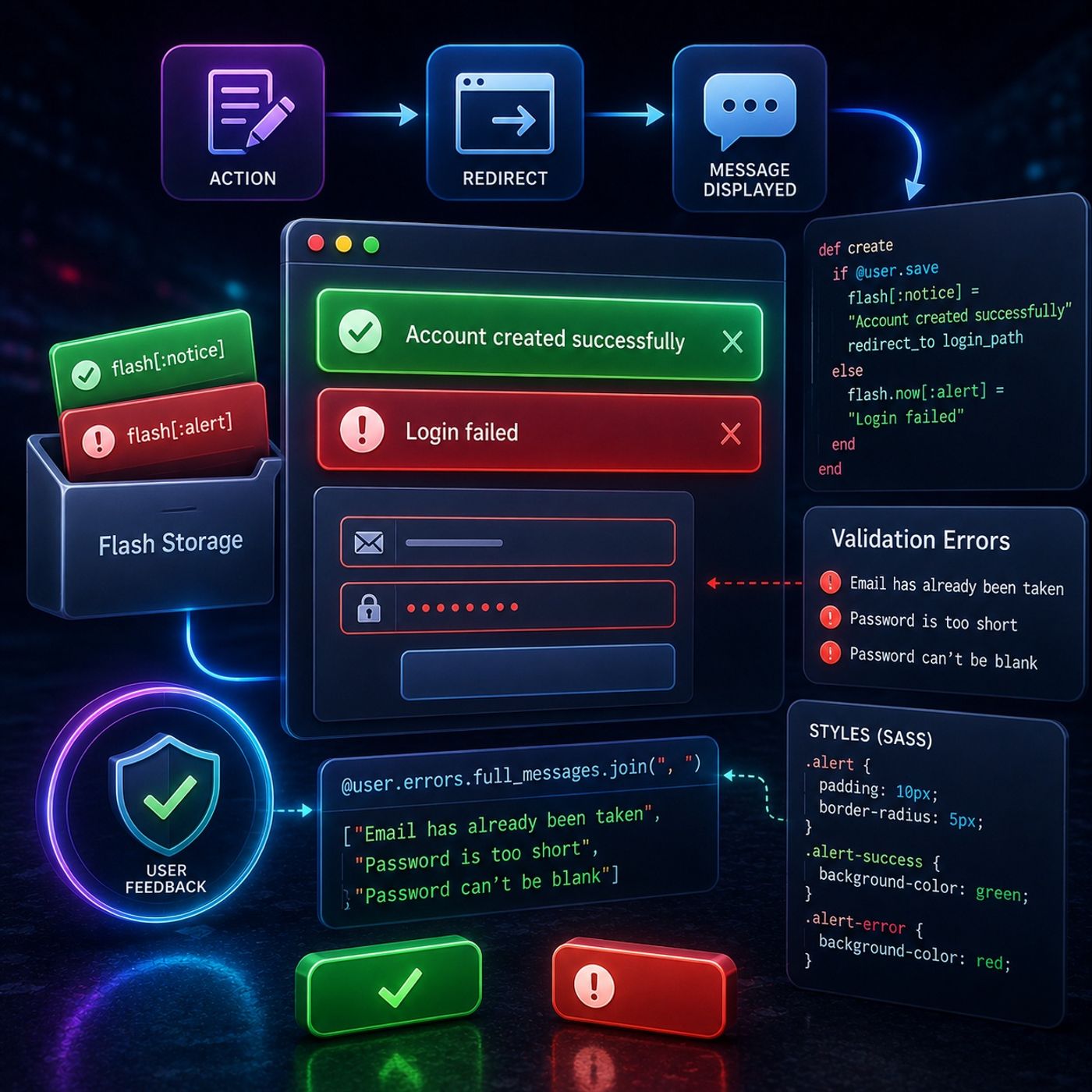
Course 37 - Building Web Apps with Ruby On Rails | Episode 9: Flash Storage and Automated Validation Errors
Published 4 months, 1 week ago
Description
In this lesson, you’ll learn about: implementing user feedback systems in Ruby on Rails using flash messages, validation errors, and UI styling1. The Problem: Lost Feedback After Redirects🔹 Common issue:
User feedback must survive redirects to be effective2. Flash Storage (Temporary Messaging)Using Ruby on Rails:🔹 What is flash:
Flash is the correct tool for passing messages between requests3. Flash vs Instance Variables🔹 Instance variables (@message):
Always use flash for redirect-based messaging4. Automating Validation Error Messages🔹 Problem:
Rails automatically collects validation errors in one place5. Displaying Multiple Errors🔹 Technique:
Displaying all errors improves user experience6. Preventing Crashes (Conditional Rendering)🔹 Problem:
Always check for errors before rendering them7. Styling Feedback Messages (CSS & SASS)🔹 Goal:
Visual distinction improves usability and clarity8. Creating a Polished UI Experience🔹 Combine:
Good feedback transforms functionality into a polished productKey Takeaways
👉 Handle errors efficiently and automatically
👉 Build polished, production-ready interfacesMental ModelAction happens → message stored in flash → redirect → message displayed → styled for clarity
You can listen and download our episodes for free on more than 10 different platforms:
https://linktr.ee/cybercode_academy
- Messages like “Login Failed” disappear after page reload
- Standard variables don’t persist across redirects
User feedback must survive redirects to be effective2. Flash Storage (Temporary Messaging)Using Ruby on Rails:🔹 What is flash:
- A special storage that persists for one request cycle
- Survives redirect
- Cleared automatically afterward
Flash is the correct tool for passing messages between requests3. Flash vs Instance Variables🔹 Instance variables (@message):
- Lost after redirect
- Persist temporarily
Always use flash for redirect-based messaging4. Automating Validation Error Messages🔹 Problem:
- Manually writing error messages is inefficient
- Use model error collection
Rails automatically collects validation errors in one place5. Displaying Multiple Errors🔹 Technique:
- Join all error messages
- Shows all issues at once (e.g., email taken + password missing)
Displaying all errors improves user experience6. Preventing Crashes (Conditional Rendering)🔹 Problem:
- Errors may not always exist
Always check for errors before rendering them7. Styling Feedback Messages (CSS & SASS)🔹 Goal:
- Make feedback visually clear
- Success → green background
- Error → red background
Visual distinction improves usability and clarity8. Creating a Polished UI Experience🔹 Combine:
- Flash messages
- Validation errors
- Styled components
- Professional, user-friendly interface
Good feedback transforms functionality into a polished productKey Takeaways
- Flash storage preserves messages across redirects
- Validation errors can be automatically extracted and displayed
- Conditional checks prevent runtime errors
- CSS/SASS enhances user experience with clear visual cues
👉 Handle errors efficiently and automatically
👉 Build polished, production-ready interfacesMental ModelAction happens → message stored in flash → redirect → message displayed → styled for clarity
You can listen and download our episodes for free on more than 10 different platforms:
https://linktr.ee/cybercode_academy