Episode Details
Back to Episodes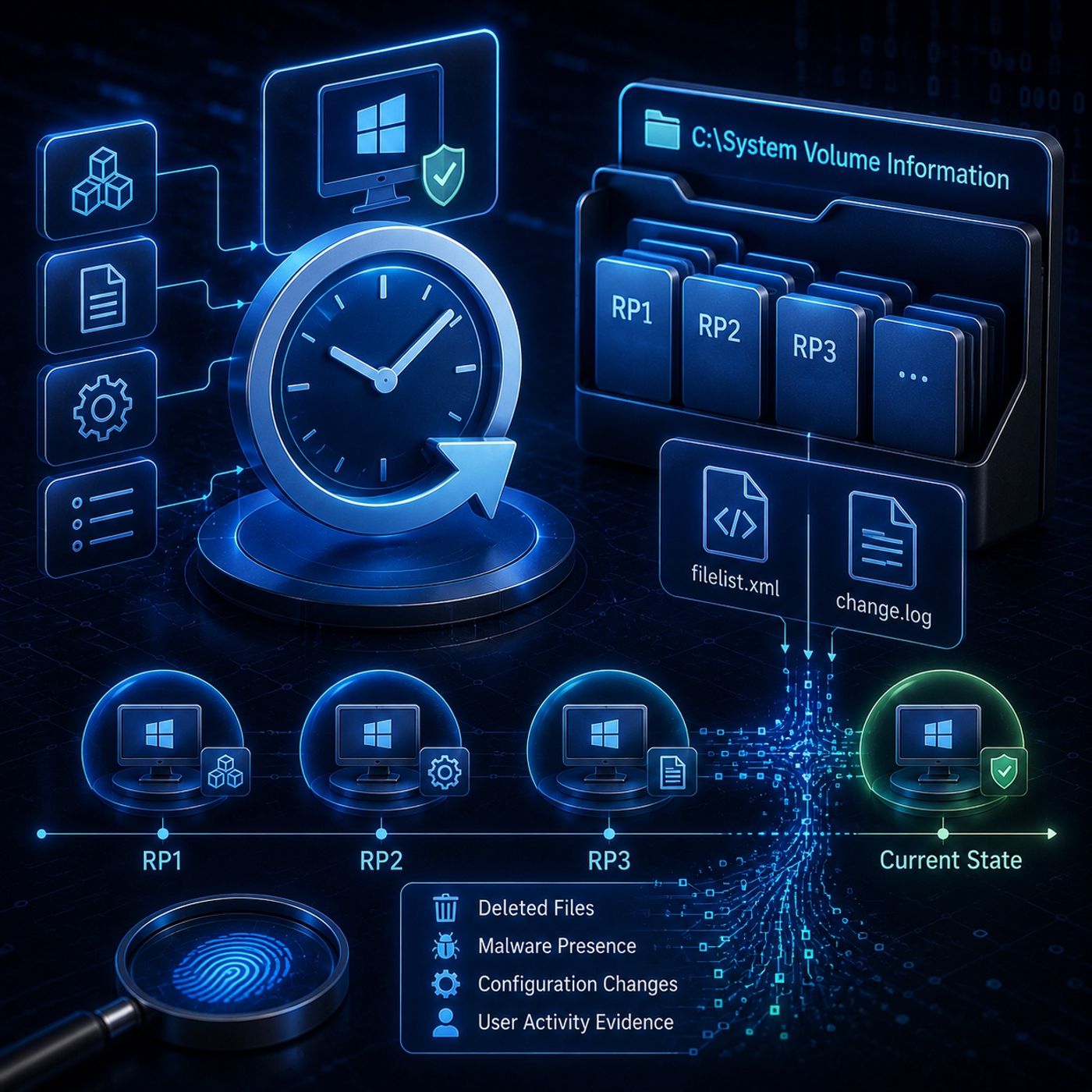
Course 36 - Windows Forensics and Tools | Episode 9: Uncovering Hidden Evidence
Published 4 months, 4 weeks ago
Description
In this lesson, you’ll learn about: Windows System Restore Points in digital forensics1. What Are System Restore Points?
- A Windows feature that creates snapshots of system state
- Designed for recovery after:
- System failures
- Bad updates
- Software issues
- They act as a historical snapshot of system behavior
- Restore points preserve evidence that may be:
- Deleted
- Wiped
- Modified
- Helps reconstruct:
- System changes
- Malware introduction
- Configuration modifications
- Registry snapshots
- Selected system files
- Configuration data
- Logs and application traces
- They preserve system state, not just individual files
- Restore points preserve MAC times:
- Modified
- Accessed
- Created
- Enables accurate timeline reconstruction
- Helps detect tampering or backdating attempts
- Software installation
- System updates
- Every ~24 hours of uptime
- Manual user trigger
- Restore points are often created during high system activity periods
- Hidden directory:
- Stored as sequential folders:
- RP1
- RP2
- RP3
- etc.
- filelist.xml
- Defines:
- Which file types are monitored
- Which directories are included
- Acts as a control map for snapshot creation
- change.log
- Records:
- Original filenames
- File locations
- Snapshot changes
- Helps reconstruct original file paths even after renaming
- Controls:
- Enable/disable restore points
- Storage allocation
- Behavior settings
- Uses FIFO (First-In, First-Out) rule
- Older restore points are deleted first
- Malware presence in past states
- Deleted files
- System configuration changes
- Evidence of cleanup attempts
- Restore points can reveal what was intentionally removed
- System Restore Points are system snapshots used for recovery
- They preserve registry and file state over time
- Stored in hidden System Volume Information directory
- Include logs that track file changes and metadata
- Can reveal deleted or tampered forensic evidence
- System snapshot → sto