Episode Details
Back to Episodes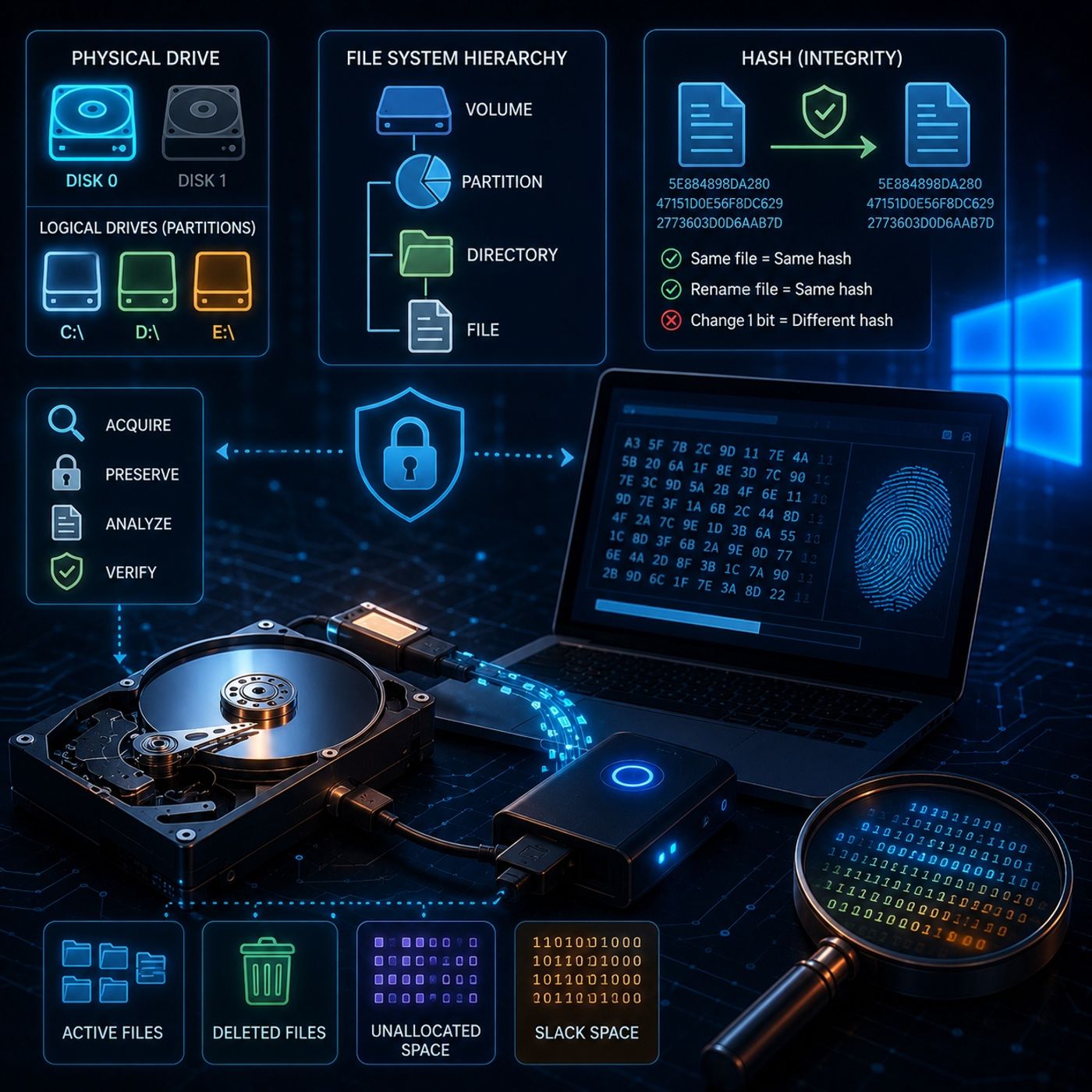
Course 36 - Windows Forensics and Tools | Episode 2: Windows Forensic Imaging and Drive Nomenclature
Published 5 months ago
Description
In this lesson, you’ll learn about: Windows forensic imaging and data structure fundamentals1. What is Forensic Imaging?
You can listen and download our episodes for free on more than 10 different platforms:
https://linktr.ee/cybercode_academy
- A bit-by-bit, sector-by-sector copy of a storage device
- Captures everything, not just visible files
- Active files and folders
- Deleted files
- Unallocated space
- Slack space
- Not a backup → it is an exact forensic replica
- Preserves original evidence
- Prevents modification of:
- File timestamps
- Metadata
- Required for court-admissible investigations
- Identified as:
- Disk 0
- Disk 1
- Represent actual hardware
- Represent partitions using letters:
- C:
- D:
- E:
- Physical disk → entire cabinet
- Logical drives → drawers inside the cabinet
- A: and B: reserved for floppy disks
- Volume (highest level)
- Partition
- Directory (folder)
- File
- A logical grouping of related data
- Understanding hierarchy helps in locating and analyzing evidence
- Process → running program
- Thread → smallest execution unit within a process
- Helps track:
- Program execution
- Malicious activity
- Generate a unique fingerprint for data
- MD5 hash
- Same file → same hash
- Rename file → hash unchanged
- Change 1 bit → completely different hash
- Verify forensic image integrity
- Acquire image → generate hash
- Analyze copy → compare hash again
- Ensure no tampering occurred
- Forensic imaging captures complete disk data, including hidden content
- Physical and logical drives represent different abstraction layers
- File systems follow a structured hierarchy
- Hashing ensures data integrity and authenticity
- Even a tiny change in data invalidates evidence
- Disk → Image → Hash → Analyze → Verify
You can listen and download our episodes for free on more than 10 different platforms:
https://linktr.ee/cybercode_academy