Episode Details
Back to Episodes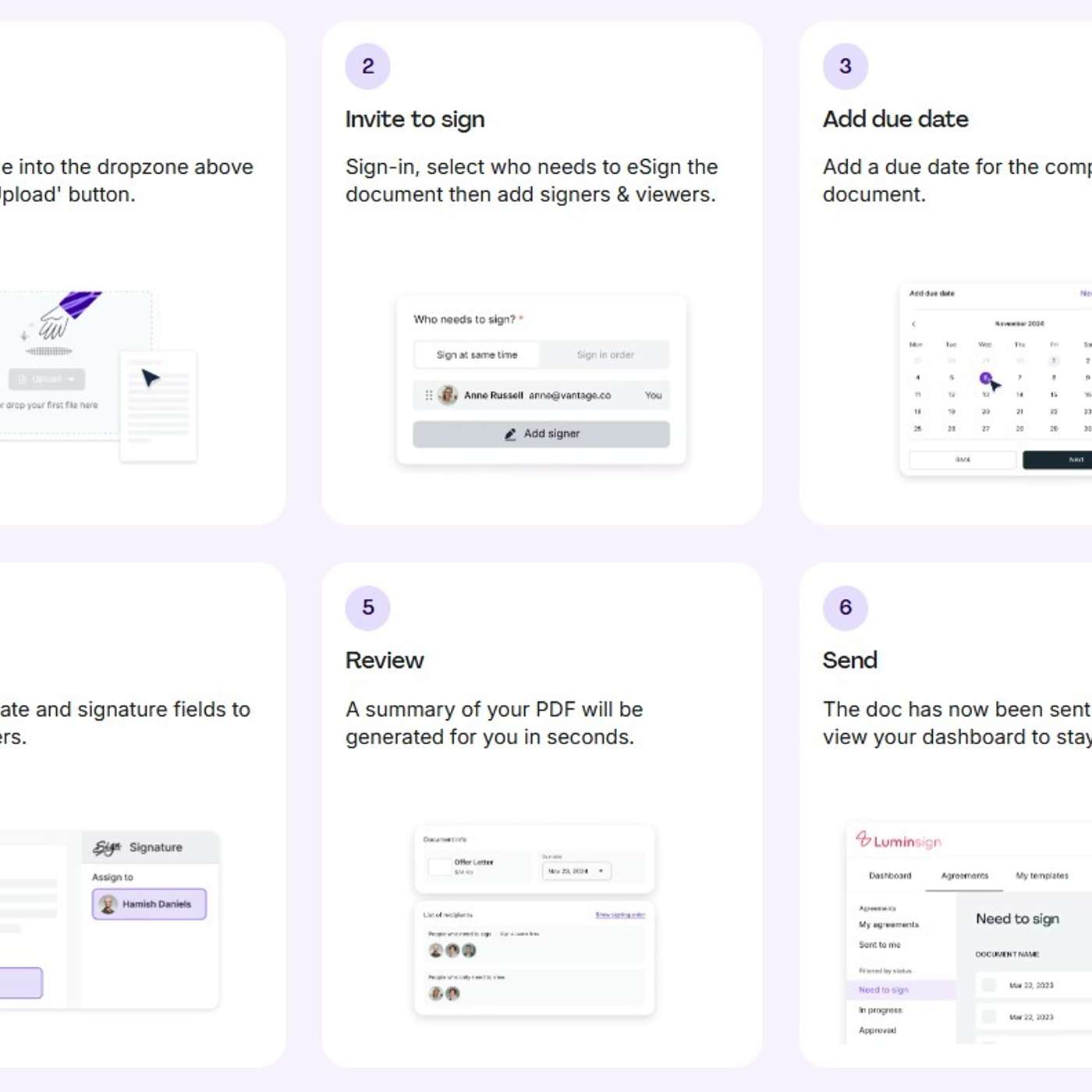
The Easiest Way to Add a Digital Signature to a PDF
Description
This story was originally published on HackerNoon at: https://hackernoon.com/the-easiest-way-to-add-a-digital-signature-to-a-pdf.
Quickly add a secure digital signature to any PDF using free tools—no printing, no hassle. Works on desktop, tablet, or mobile in minutes.
Check more stories related to life-hacking at: https://hackernoon.com/c/life-hacking.
You can also check exclusive content about #pdf-signing-online, #add-digital-signature-to-pdf, #adobe-acrobat-reader-guide, #lumin-pdf-signature-tool, #digital-signature-compliance, #certificate-based-digital-id, #sign-pdf-on-iphone-and-android, #good-company, and more.
This story was written by: @sanya_kapoor. Learn more about this writer by checking @sanya_kapoor's about page,
and for more stories, please visit hackernoon.com.
Adding a digital signature to a PDF is fast and secure with tools like Adobe Acrobat Reader, Lumin, or mobile apps. This guide explains the difference between digital and electronic signatures, shows step-by-step signing methods, and covers legal compliance under eIDAS and ESIGN. With the right tool and workflow, you can sign contracts and approvals in minutes without printing or scanning.