Episode Details
Back to Episodes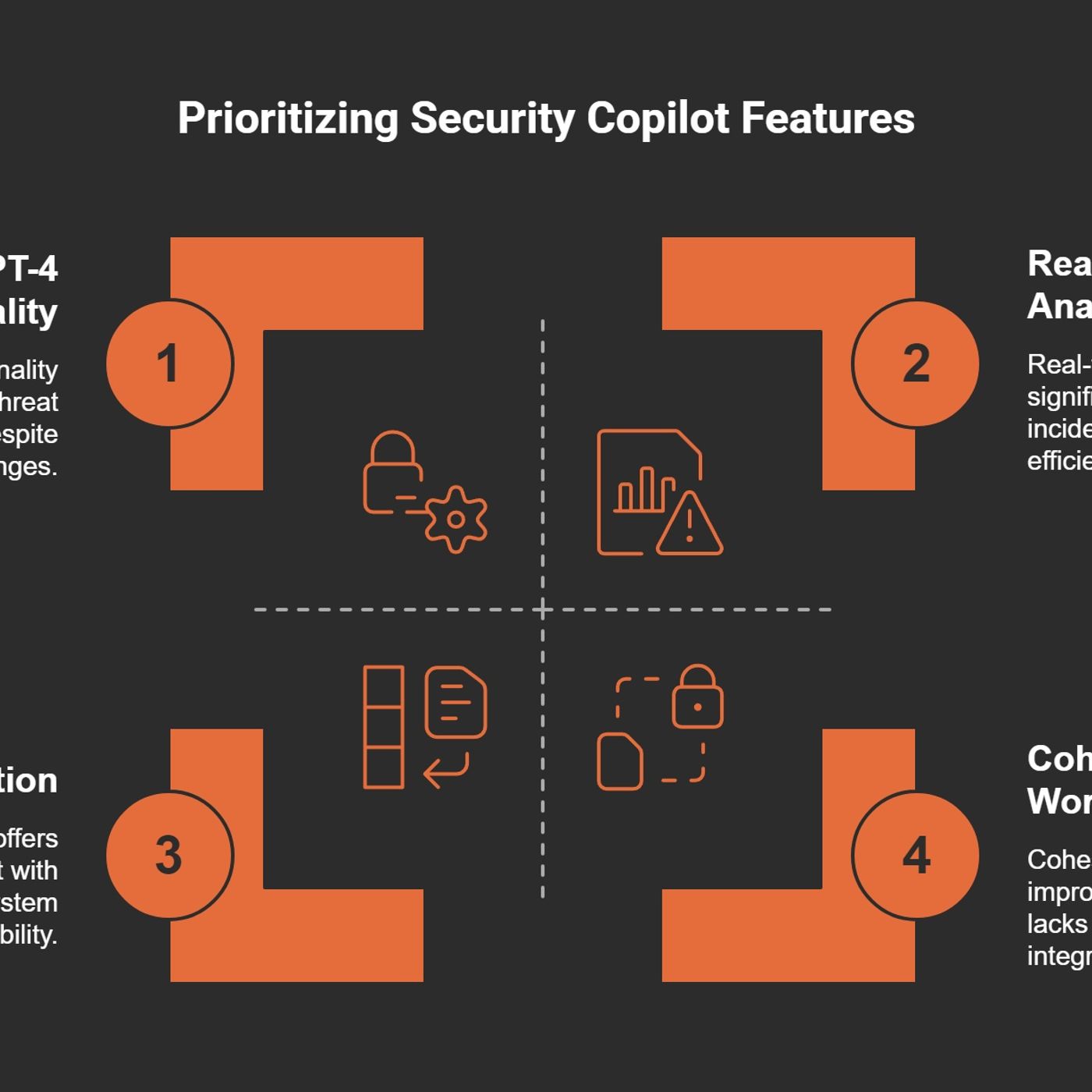
How Security Copilot is Changing SOC Operations
Published 10 months, 1 week ago
Description
(00:00:00) The alert overload challenge
(00:07:13) AI integration in security tools
(00:15:18) Contextual insights for threats
(00:27:47) Streamlined incident response
(00:37:57) Balancing security and usability
(00:59:59) Maximizing security Copilot value
Managing over 200 alerts before 9 AM is a reality for many cybersecurity analysts. I can attest to this daily challenge. The sheer volume of notifications can feel like a tidal wave crashing down, requiring swift action and precise analysis. It's not just about the numbers; it's about the strain each alert brings.M365 Show is a reader-supported publication. To receive new posts and support my work, consider becoming a free or paid subscriber.Jumping Between PlatformsImagine having to jump between 5-10 different systems just to get a complete picture of a potential threat. This is the unfortunate norm in our field. Each platform has its own interface, its own quirks. Are we really expected to remember them all? This constant switching creates a fragmented workflow and increases the risk of missing vital information.The Cognitive DrainEvery time I switch from one tool to another, I feel my focus slip. This is what we call cognitive drain. It's exhausting. The mental energy required to keep track of multiple alerts and systems can lead to burnout. As a cybersecurity expert once said,"The overwhelming nature of alerts can lead to analyst burnout and inefficiency."This is something I’ve experienced firsthand.Time Spent on InvestigationsOn average, we spend about 45 minutes investigating an incident. That’s a long time when you’re trying to stay ahead of threats. In my experience, a chaotic workday could easily turn into an hours-long ordeal, piecing together clues from various alerts. It’s not just about finding out what happened; it’s about determining what actions to take next.A Personal AnecdoteLet me share a chaotic day from my past. It was a Monday morning, and I logged on to find over 300 alerts waiting for me. My heart sank. I jumped from one platform to another, trying to find context for each alert. One moment, I was deep in a security incident, and the next, I was analyzing a completely different platform. It felt like I was on a hamster wheel, running but getting nowhere. Hours passed, and I was left drained and frustrated.The Need for Streamlined ToolsSo, how do we tackle this overwhelming workload? The answer lies in streamlined tools. We need solutions that integrate seamlessly into our workflow. Tools like Microsoft Security Copilot are designed to ease this burden. They aim to reduce the time spent switching contexts and allow us to focus on what really matters: protecting our networks.In conclusion, the reality of daily alerts in cybersecurity is daunting. But by recognizing the challenges and advocating for better tools and integration, we can improve our effectiveness and reduce burnout. Together, we can navigate this complex landscape with greater ease.Introducing Microsoft Security Copilot: A Game ChangerHave you ever felt overwhelmed by the sheer volume of security alerts? I know I have. With Microsoft’s Security Copilot, those challenges may soon be a thing of the past. Launched in April 2024, this innovative tool is set to revolutionize how Security Operations Centers (SOCs) operate. Let’s dive into what makes Security Copilot a game changer.Overview of Microsoft Security Copilot FeaturesSecurity Copilot is not just another tool; it's a paradigm shift in how we approach security operations. This AI-powered assistant combines cutting-edge technology with practical, real-world applications, making it a unique resource in a crowded market. Here are some standout features:* Integration with Existing Security Tools: Security Copilot works seamlessly with Microsoft Defender, Intune, and other security platforms. This means you don’t have to overhaul your current systems to benefit from its capabilities.* Real-Time Analy
(00:07:13) AI integration in security tools
(00:15:18) Contextual insights for threats
(00:27:47) Streamlined incident response
(00:37:57) Balancing security and usability
(00:59:59) Maximizing security Copilot value
Managing over 200 alerts before 9 AM is a reality for many cybersecurity analysts. I can attest to this daily challenge. The sheer volume of notifications can feel like a tidal wave crashing down, requiring swift action and precise analysis. It's not just about the numbers; it's about the strain each alert brings.M365 Show is a reader-supported publication. To receive new posts and support my work, consider becoming a free or paid subscriber.Jumping Between PlatformsImagine having to jump between 5-10 different systems just to get a complete picture of a potential threat. This is the unfortunate norm in our field. Each platform has its own interface, its own quirks. Are we really expected to remember them all? This constant switching creates a fragmented workflow and increases the risk of missing vital information.The Cognitive DrainEvery time I switch from one tool to another, I feel my focus slip. This is what we call cognitive drain. It's exhausting. The mental energy required to keep track of multiple alerts and systems can lead to burnout. As a cybersecurity expert once said,"The overwhelming nature of alerts can lead to analyst burnout and inefficiency."This is something I’ve experienced firsthand.Time Spent on InvestigationsOn average, we spend about 45 minutes investigating an incident. That’s a long time when you’re trying to stay ahead of threats. In my experience, a chaotic workday could easily turn into an hours-long ordeal, piecing together clues from various alerts. It’s not just about finding out what happened; it’s about determining what actions to take next.A Personal AnecdoteLet me share a chaotic day from my past. It was a Monday morning, and I logged on to find over 300 alerts waiting for me. My heart sank. I jumped from one platform to another, trying to find context for each alert. One moment, I was deep in a security incident, and the next, I was analyzing a completely different platform. It felt like I was on a hamster wheel, running but getting nowhere. Hours passed, and I was left drained and frustrated.The Need for Streamlined ToolsSo, how do we tackle this overwhelming workload? The answer lies in streamlined tools. We need solutions that integrate seamlessly into our workflow. Tools like Microsoft Security Copilot are designed to ease this burden. They aim to reduce the time spent switching contexts and allow us to focus on what really matters: protecting our networks.In conclusion, the reality of daily alerts in cybersecurity is daunting. But by recognizing the challenges and advocating for better tools and integration, we can improve our effectiveness and reduce burnout. Together, we can navigate this complex landscape with greater ease.Introducing Microsoft Security Copilot: A Game ChangerHave you ever felt overwhelmed by the sheer volume of security alerts? I know I have. With Microsoft’s Security Copilot, those challenges may soon be a thing of the past. Launched in April 2024, this innovative tool is set to revolutionize how Security Operations Centers (SOCs) operate. Let’s dive into what makes Security Copilot a game changer.Overview of Microsoft Security Copilot FeaturesSecurity Copilot is not just another tool; it's a paradigm shift in how we approach security operations. This AI-powered assistant combines cutting-edge technology with practical, real-world applications, making it a unique resource in a crowded market. Here are some standout features:* Integration with Existing Security Tools: Security Copilot works seamlessly with Microsoft Defender, Intune, and other security platforms. This means you don’t have to overhaul your current systems to benefit from its capabilities.* Real-Time Analy